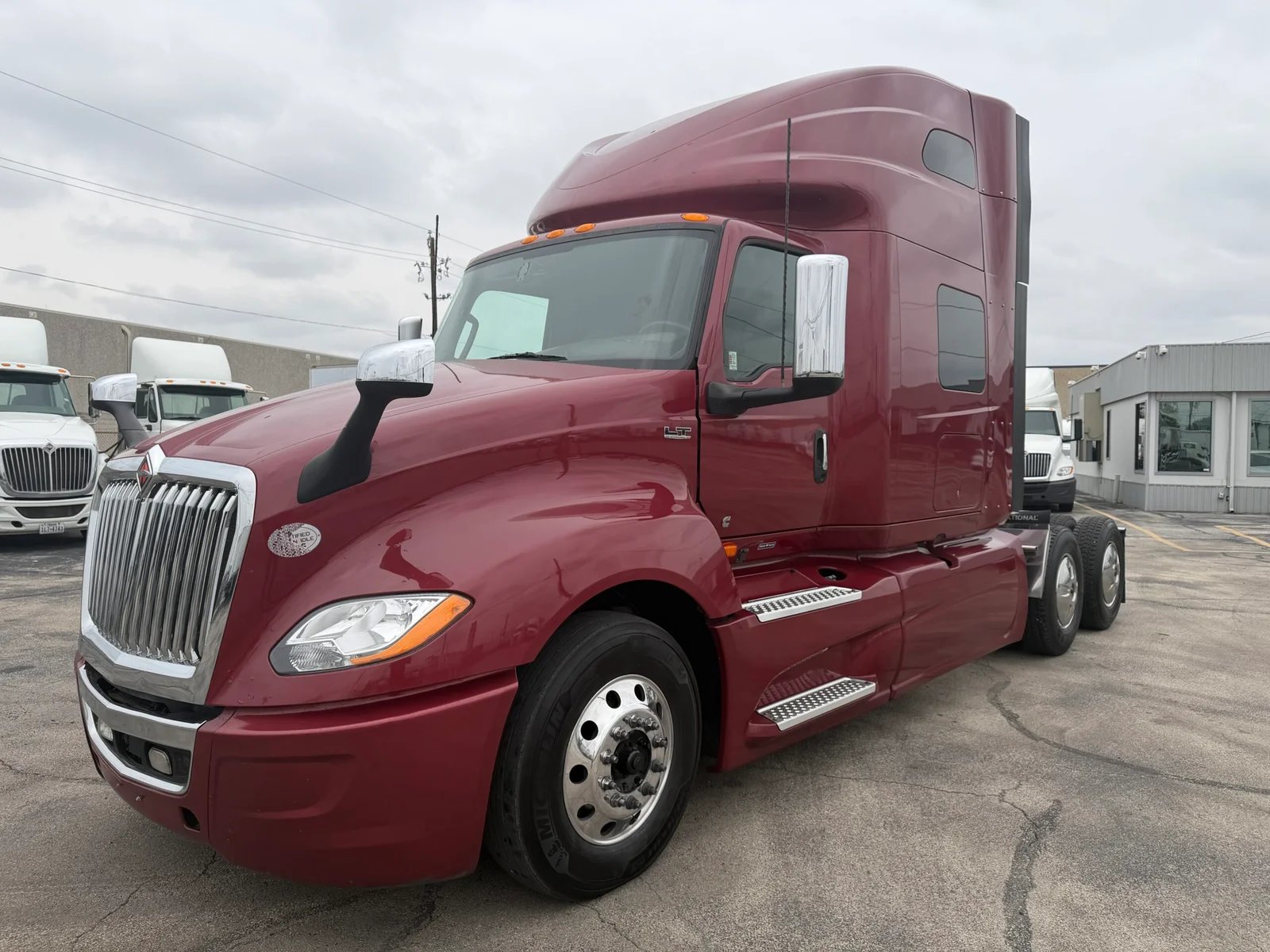
When selling a commercial vehicle, high-quality photographs significantly enhance your listing’s appeal and can help you close deals faster. In this guide, we’ll outline essential photo tips that will make your commercial vehicle listing on TruckAndTrailerLeads.com more attractive and improve your chances of selling successfully.
Why Quality Photos Matter
Potential buyers rely heavily on images to gauge the condition and value of a vehicle. Quality photos convey professionalism and trustworthiness, encouraging inquiries and offers. Here are some key reasons why investing time in photography is essential:
- Visual Appeal: High-quality images grab attention and create a strong first impression.
- Reduced Inquiry Time: Detailed photos help potential buyers understand the vehicle’s condition, potentially reducing tedious questions.
- Competitive Edge: In a crowded market, superior images distinguish your listing from others.
Preparation for Photography
Before you start taking pictures, ensure your vehicle is clean and presentable. Here’s a quick checklist to prepare:
- Wash and Detail: Clean the exterior and interior. Remove any clutter.
- Check Functionality: Ensure all lights and indicators are operational—capture them in action if possible.
- Gather Documentation: Keep maintenance records and features list handy for any follow-up inquiries.
Best Practices for Taking Photos
Follow these practical steps to capture high-quality images of your commercial vehicle:
1. Choose the Right Environment
Find a location that complements your vehicle. A well-lit, spacious area can enhance visual appeal. Aim for:
- Natural Lighting: Early morning or late afternoon provides the best light.
- Simple Backgrounds: Avoid cluttered or distracting backgrounds that take focus off the vehicle.
2. Showcase Various Angles
Provide a comprehensive view of the vehicle by photographing it from multiple angles, including:
- Front, side, and rear views.
- Close-ups of specific features such as the engine, tires, and interior.
- Unique or noteworthy features, like custom modifications, storage options, or technology.
3. Use a Quality Camera
While modern smartphones often suffice, consider using a digital camera for better resolution. Ensure:
- Image Stability: Use a tripod or steady hand to eliminate blurriness.
- Consistency: Keep the same camera settings for all photos to maintain a uniform look.
4. Focus on Details
Detail shots can provide reassurances about quality:
- Interior: Photograph seats, dashboard, and storage compartments.
- Exterior Damage: Capture any flaws like scratches or dents for transparency.
- Under the Hood: Show the engine and other critical components if applicable.
5. Edit Your Photos
Use basic photo editing tools to enhance lighting and adjust contrast, but avoid over-editing. Keep the representation clear and honest. Consider:
- Crop to focus on the vehicle.
- Adjust brightness and contrast to reflect true color without misrepresentation.
Optimizing Your Listing with Photos
Once you’ve taken and edited your photos, use them strategically to enhance your listing:
- Lead with the Best Shot: Your primary image should be the most appealing photo, typically a front-side view.
- Sequence Wisely: Follow with side views, close-up features, and interior shots to create a logical flow.
- Include an Overview: A photo that captures the whole vehicle in context can help buyers visualize ownership.
Takeaways
Maximizing the impact of your commercial vehicle listing starts with high-quality photography. Focus on preparing your vehicle, selecting the right environment, and capturing detailed shots from various angles. Good photos build trust, differentiate your listing, and improve the likelihood of a successful sale.
FAQs
- What type of camera should I use?
A digital camera is preferable, but a high-resolution smartphone can suffice. - How many photos should I include?
Aim for at least 15-20 images, including various angles and key features. - Can I hire a professional photographer?
If budget permits, hiring a pro can ensure high-quality images, but many sellers succeed with DIY photography. - Should I edit my photos?
Basic edits for lighting and contrast are acceptable, but ensure the images remain an honest representation. - What is the best time of day to take photos?
Early morning or late afternoon provides the best natural lighting.
Related Tools and Guides
- Facebook Lead Generation Articles – Explore how to effectively reach potential buyers on social media platforms.
- LinkedHelper – Automate your LinkedIn outreach while respecting platform guidelines.
- Group Leads for Facebook – Simplify the management of leads gathered from Facebook groups.
- NinjaPinner – Efficiently leverage Pinterest for visual marketing strategies.
- ScrapeBox – For permission-based keyword research and site exploration.
- Bulk Accounts Buy – Consider account security and platform terms when purchasing accounts.